In short
Open every safe cell without setting off an "ore charge". Numbers count the charges around each cell, flags mark the ones you've found, and tapping a number whose flags are all placed opens the rest of its neighbours. You choose the width and the density, and the game picks the rows to suit your window.
What we checked on the web version
- No account needed: a "Tap to start" screen leads straight to the menu.
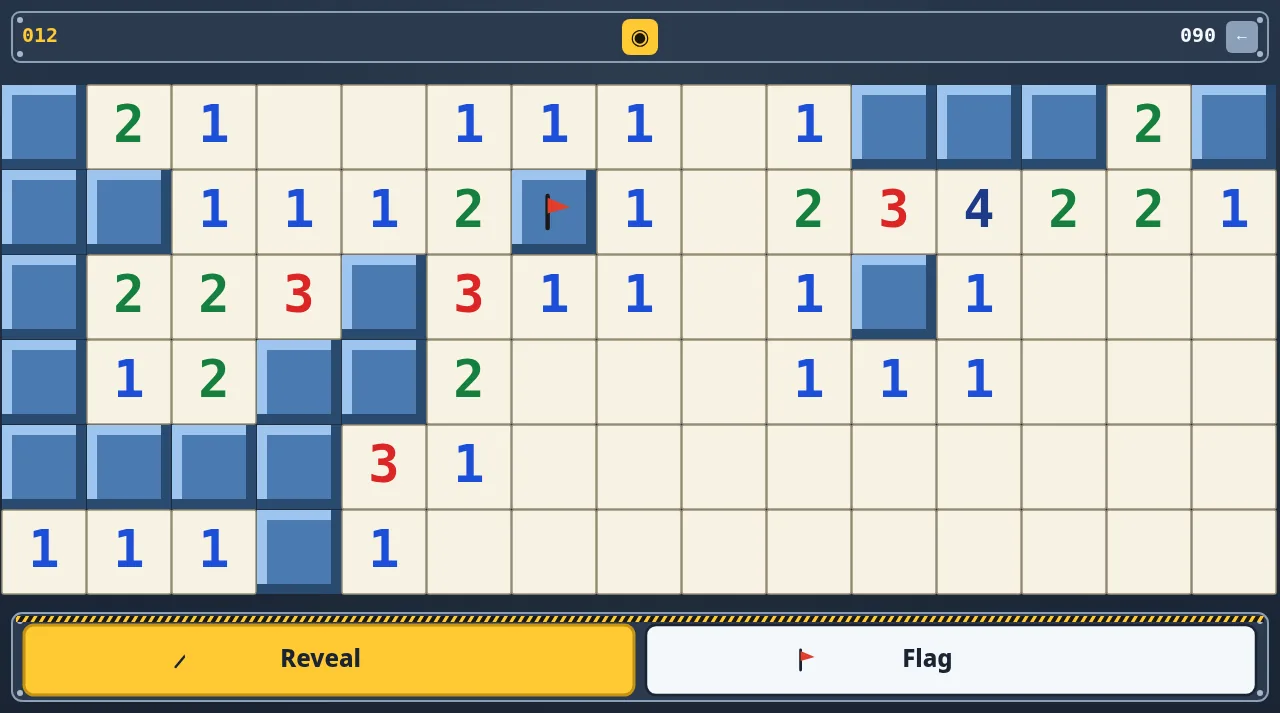
- The Columns slider runs from 8 to 31 and the Mine density slider from 9% to 71%. A line above them previews the board, for example "15×6 · 13 mines" in a landscape desktop window.
- Controls: tap to reveal, hold for about 0.3 seconds to flag, tap a satisfied number to chord. A Reveal/Flag dock lets you flag with a plain tap instead.
- The top bar shows charges left (minus flags), a seconds timer, and a new-game button that asks for confirmation.
- Settings: sound effects, background music, and eight interface languages.
- Losing offers Review board, Play Again and Home. Winning shows your score and time and marks a new best time.
Our walkthrough with screenshots and a move-by-move solve is in Minesweeper in the browser: setting up the board, chording, and how we cleared a 15×6 field.