Reversi OK, tyttoot's take on the classic flip-the-discs board game, went live on the Mac App Store on 17 October 2026. It was already on the web, Google Play and iPhone/iPad, so the Play box at the end of this article now lists every platform the game targets.
We did not play the Mac build itself. We played the web version the same morning in a 1280×800 desktop window, two full games against the built-in AI: one on Normal, one on Hard. We lost both. The way we lost is the best Reversi lesson we can offer, so this article is built around it.
The rules in one minute
Reversi is played on an 8×8 board. You place a disc so that it traps one or more of your opponent's discs in a straight line (across, down or diagonally) between your new disc and one you already have. Every trapped disc flips to your colour. A move that flips nothing is not allowed; if you have no legal move, your turn is skipped. When neither side can move, the player with more discs wins.
In Reversi OK you play black and move first. The game marks every legal move with a small green dot, and the disc that was just placed gets a yellow ring, which makes it easy to see what the AI did. The four small orange dots on the board are just guide marks.
Menu, modes and difficulty
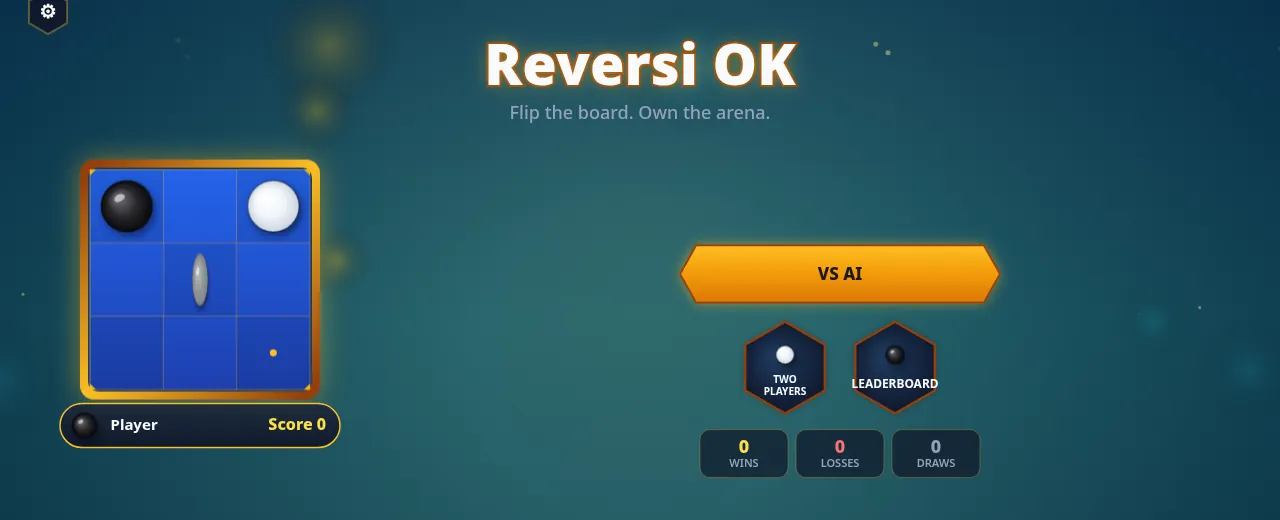
The first launch asks for a name, which is shown on the leaderboard. After that the menu offers VS AI, Two Players (two people taking turns on the same device) and a Leaderboard. Under them sit your wins, losses and draws.
VS AI has three levels:
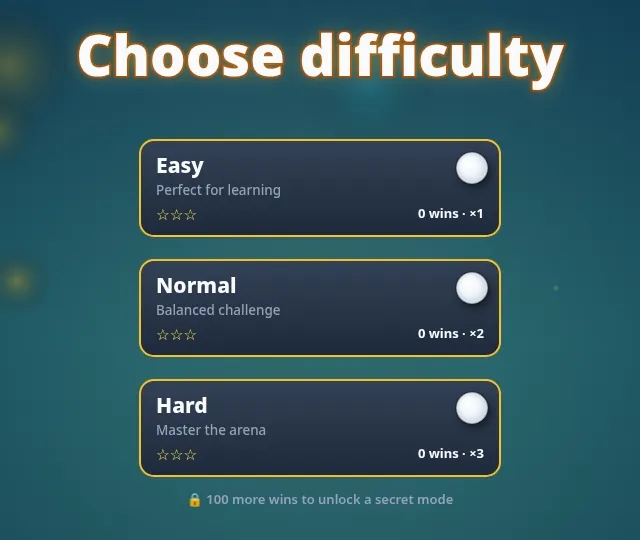
| Level | What the card says | Multiplier shown |
|---|---|---|
| Easy | Perfect for learning | ×1 |
| Normal | Balanced challenge | ×2 |
| Hard | Master the arena | ×3 |
Each card counts your wins on that level, and a note below says 100 more wins unlock a secret mode. During a game, three buttons beside the board give you a ? help button, an undo arrow and a menu. We did not use undo in either game, because we wanted the results to be honest.
How we played
Our moves came from a small search program we wrote for this test. It looks five moves ahead and scores the board with a common rule of thumb: corners are worth a lot, the squares touching a corner are risky, and having more legal moves than your opponent is good. That is roughly how a lot of new players think once they learn that corners matter. It turned out to be not nearly enough.
Normal: a 42–12 lead that became a 22–42 loss
For most of the Normal game we were winning comfortably. After 25 of our moves the counters read 42 for black, 12 for white.
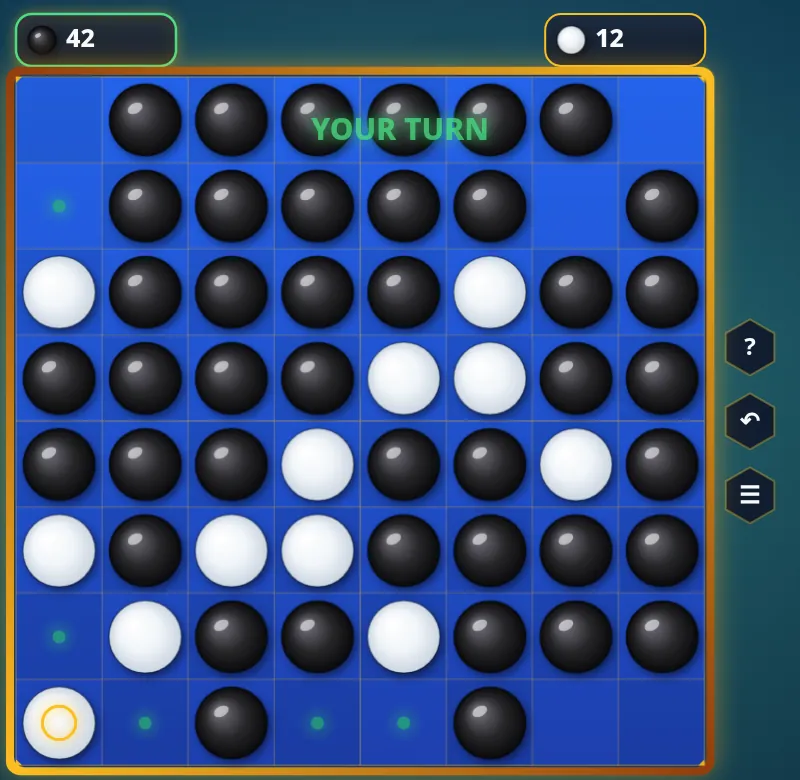
The yellow ring in that screenshot is the problem. Shortly before, we had played on b7, the square diagonally next to the bottom-left corner. Players call those four diagonal squares X-squares (b2, g2, b7 and g7). Placing a disc there lets your opponent take the corner as soon as a line opens up, and that is exactly what the AI did.
It kept going. Over our last few moves white took all four corners, and from each corner it flipped whole edges. When we checked the board again, black had 20 and white had 43:
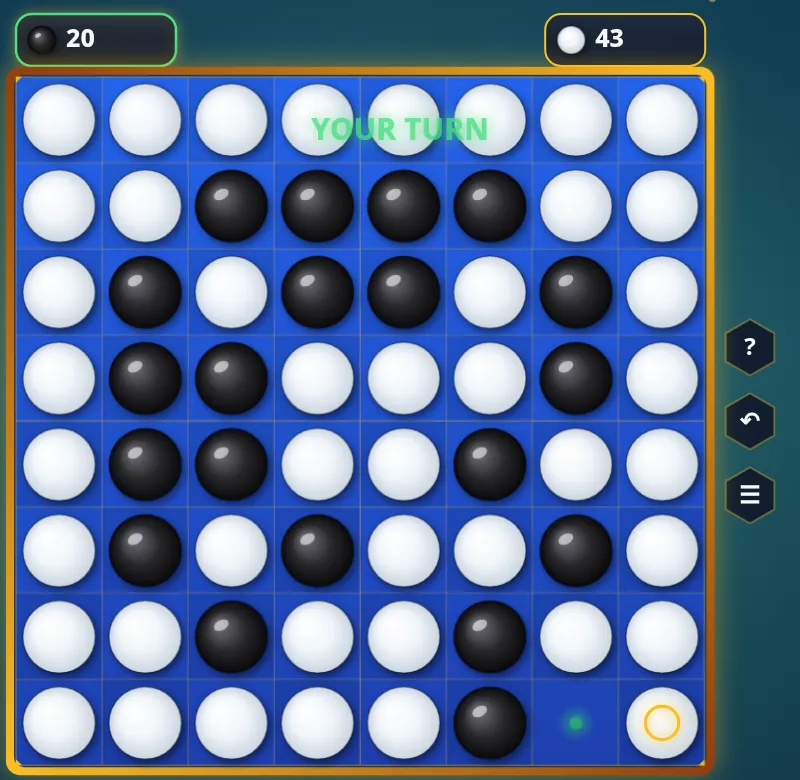
The final score was 22–42. Looking back at our move list, every corner white took sat next to a square we had played earlier: b7 before the bottom-left corner, b1 and a2 before the top-left, g2 before the top-right and g7 before the bottom-right. Our 42 discs in the middle could be flipped; the AI's corners never can.
Hard: closer, and still lost on the edge
On Hard we did better on corners: we took the top-right and bottom-right corners ourselves, and with four empty squares left we led 36–24. Then the AI took both left-hand corners in its last moves, and the entire left edge turned white.
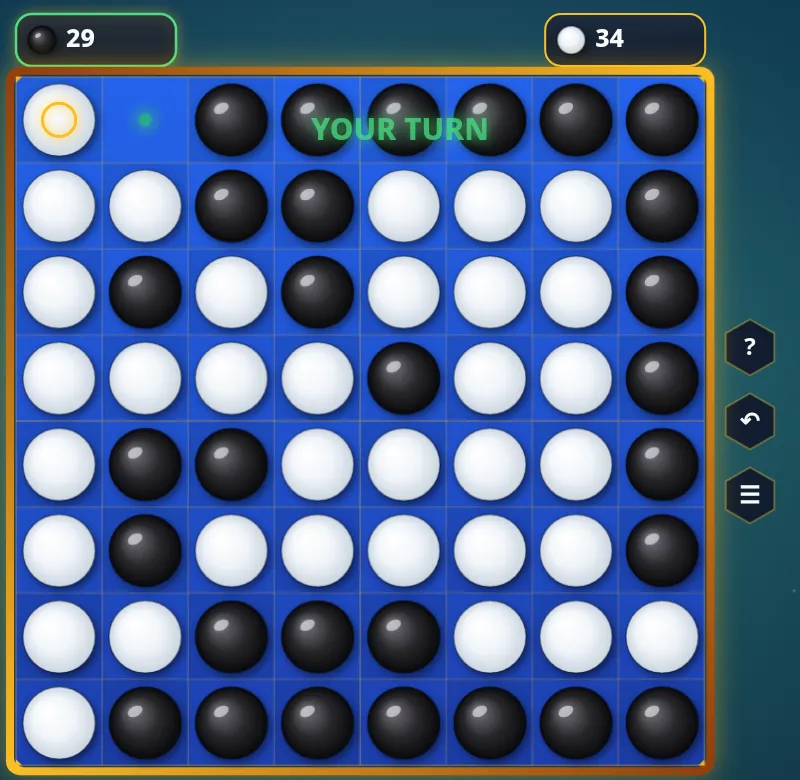
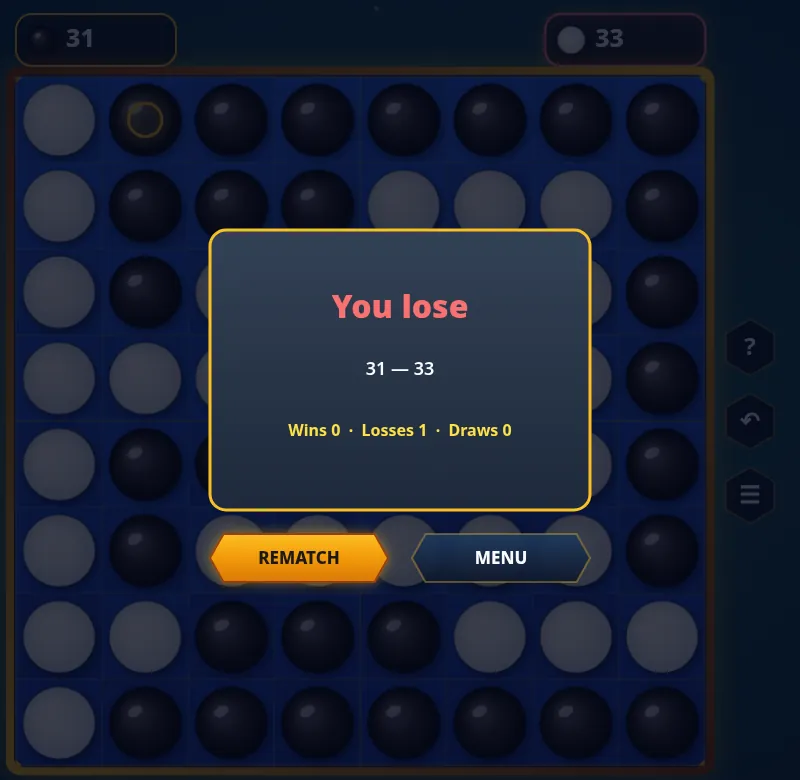
Again we had set it up ourselves. Our 25th move was b2, the X-square next to the top-left corner, and our 29th was b8, right beside the bottom-left one. The final score was 31–33: two discs short, with a lead of twelve only four squares earlier.
What the two losses teach
These tips are standard Reversi advice, and our two games are a clean demonstration of each:
- Stay off the X-squares. Don't play b2, g2, b7 or g7 while the corner next to it is empty, unless you can see that your opponent can't take that corner. Both of our losses started there.
- Be careful with the squares beside a corner too. Edge squares like b1 or a2 (often called C-squares) are less dangerous than X-squares, but they still give the corner away if the edge fills up the wrong way.
- Don't count discs in the middle game. 42–12 meant nothing. Discs in the centre change colour all game; corners and the edges anchored to them are permanent.
- Fewer discs can be better early. Taking a few discs and leaving your opponent with bad choices often beats grabbing a big flip. The AI let us flip a lot, then picked its spots.
- Watch the last ten moves. In both games the result flipped in the final handful of moves. Slow down when the board is nearly full and check which corners and edges are still open.
If you are learning, start on Easy, where the card says "Perfect for learning", and practise one habit at a time: first never give away a corner, then keep your move count higher than the AI's.
Is it worth it on a Mac?
Reversi is a good fit for a desktop: games take a few minutes, a mouse makes the clicks precise, and the green legal-move dots plus the yellow last-move ring make the AI's play easy to follow. The three levels and the two-player mode cover both solo practice and a game with someone sitting next to you. We can only speak for the web version we played; the store lists the same game.