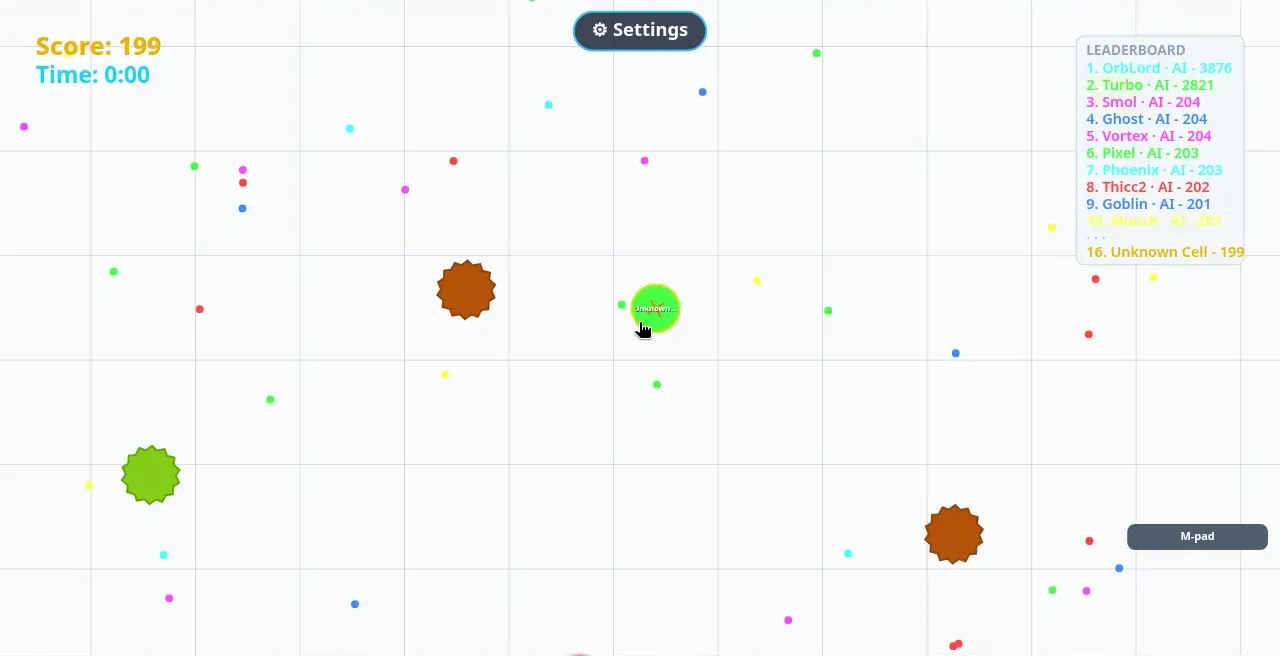
Bigger Dot, tyttoot's eat-and-grow arena game, went live on the Mac App Store on 10 October 2026. It joins the web, Google Play and iPhone/iPad versions, so every platform the game targets now has a store page you can open from the Play box at the end of this article.
We wanted to know what a new player actually meets in the first minute, so we played the web version the same morning in a 1280×800 desktop window. We did not play the Mac build itself; the store lists the same game, and the web build is what we could capture. Fair warning: the arena won every round we played. That turned out to be the most useful part of the session.
Who it is for
If you know agar.io-style games, the idea is instant: you are a dot, food makes you bigger, smaller dots are prey and bigger dots are danger. Everything you face here is an AI bot (the leaderboard tags each one "· AI"), so you can play offline, and there is no chat or other players to worry about. Rounds are short, which makes it a good fit for a coffee break, and the bright, simple look suits younger players too.
The menu and the four modes
No account is needed. The web link runs a short browser check, then the menu appears with your nickname ("Unknown Cell" until you tap the pencil to change it), the current mode, a big Play button and your best score. The bottom bar holds Customize, Leaderboard, Mode and How to Play. Our session opened in Vietnamese; the EN chip at top right switches between eight languages.
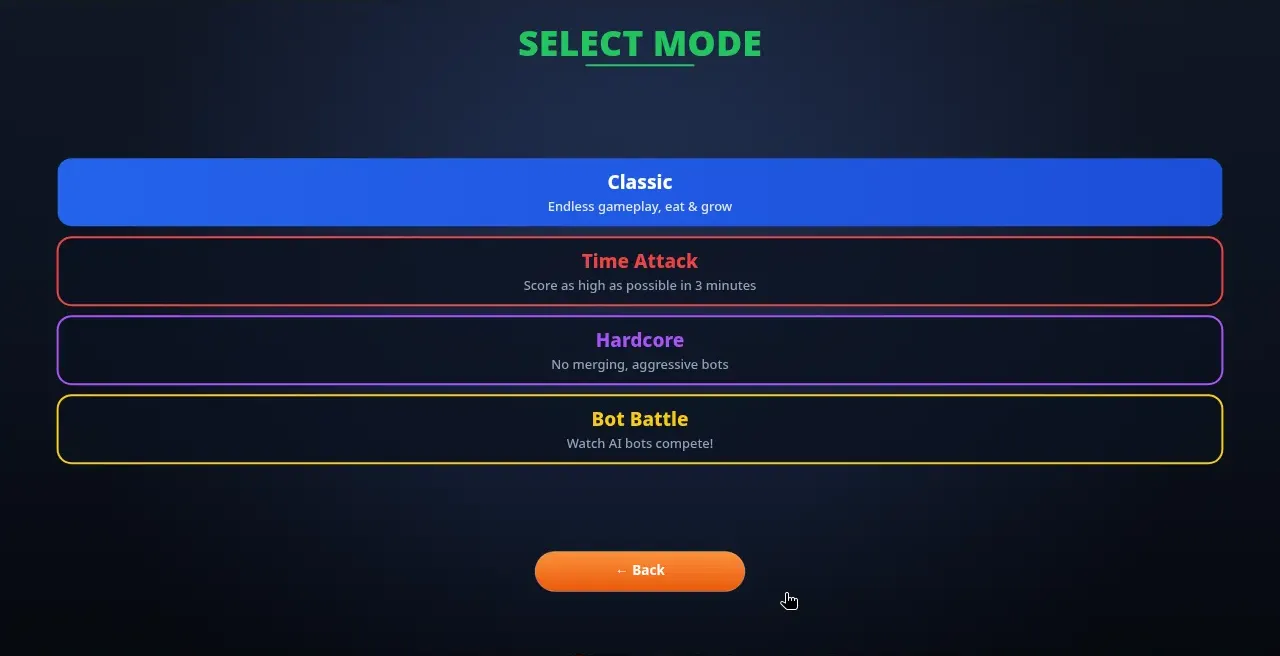
| Mode | What the game says | What it means in practice |
|---|---|---|
| Classic | Endless gameplay, eat & grow | No timer. Your round ends only when something eats you. |
| Time Attack | Score as high as possible in 3 minutes | The clock counts down from 3:00. The result is your peak score. |
| Hardcore | No merging, aggressive bots | Split pieces never join back together, so every split is permanent. |
| Bot Battle | Watch AI bots compete! | A spectator mode, handy for seeing how the bots hunt before you play. |
One small catch: choosing a mode does not start it. Press ← Back, then Play.
Controls
On a desktop, your dot follows the mouse pointer. Two keys do the rest:
- Space splits you into smaller dots that shoot forward.
- W fires food out of your dot (the game calls it shooting food projectiles; elsewhere it is "eject mass").
On a phone you drag on the field to steer, or switch the bottom-right toggle from M-pad to C-pad, a 360° drag pad that adds on-screen SPLIT and EJECT buttons.
Your score is your total area, so it rises as you grow and falls when you give mass away. A new dot starts at about 199 points.
What is in the arena
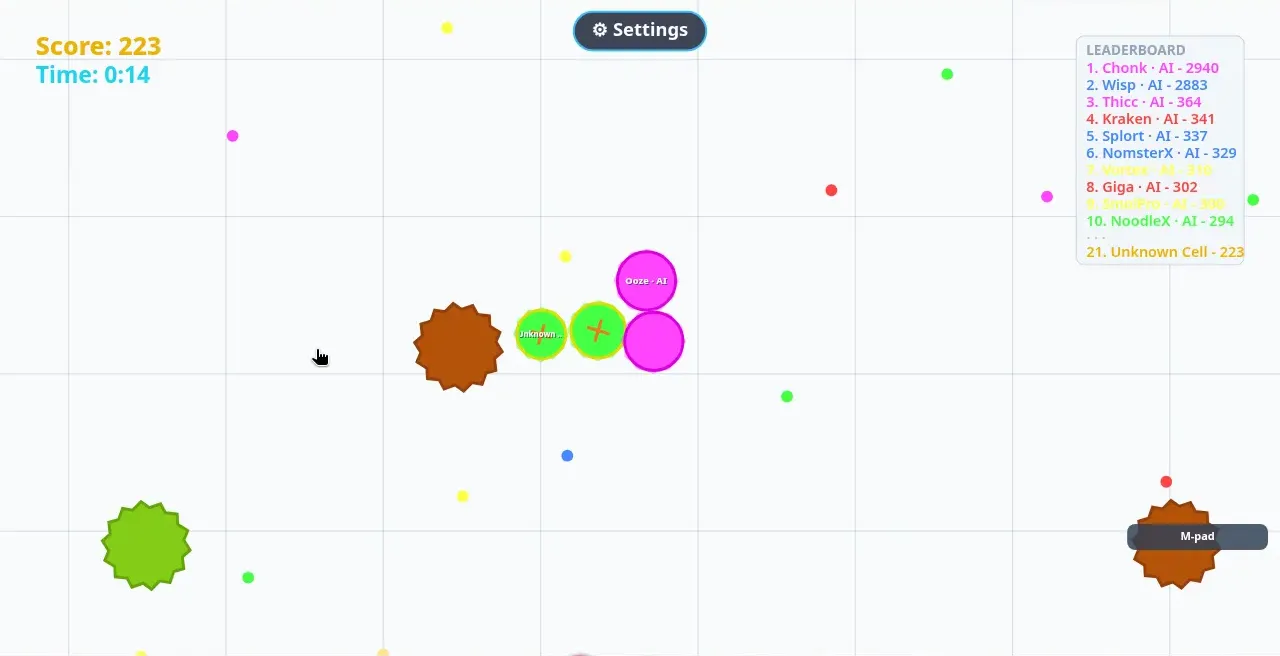
- Food is the small coloured dots. Harmless, and each one added only a few points for us.
- Bots are AI dots that, according to the help screen, switch between chasing and fleeing. In our rounds the bots near our size came straight at us.
- Brown splitters are the spiky brown shapes. The help screen says they eat smaller dots, slowly spray food and grow from food. Treat them as hazards while you are small.
- Green splitters are the spiky green shapes. They move when you feed them, do not eat dots, and eating one scatters you into pieces.
The live leaderboard on the right is the real eye-opener. At 0:00 in our first round it read OrbLord at 3876 and Turbo at 2821, with everyone else around 200. One or two giants were already roaming the map in every round we played.
Our first rounds, honestly
We played three Classic rounds and one Time Attack round. None lasted long:
| Round | Survived | Peak score | Eaten by |
|---|---|---|---|
| Classic 1 | 0:20 | 216 | OrbLord · AI |
| Classic 2 (tried W) | 0:14 | 232 | PandaPro · AI |
| Classic 3 (tried Space) | 0:14 | 235 | not shown |
| Time Attack | 0:16 of 3:00 | 234 | Voidix · AI |
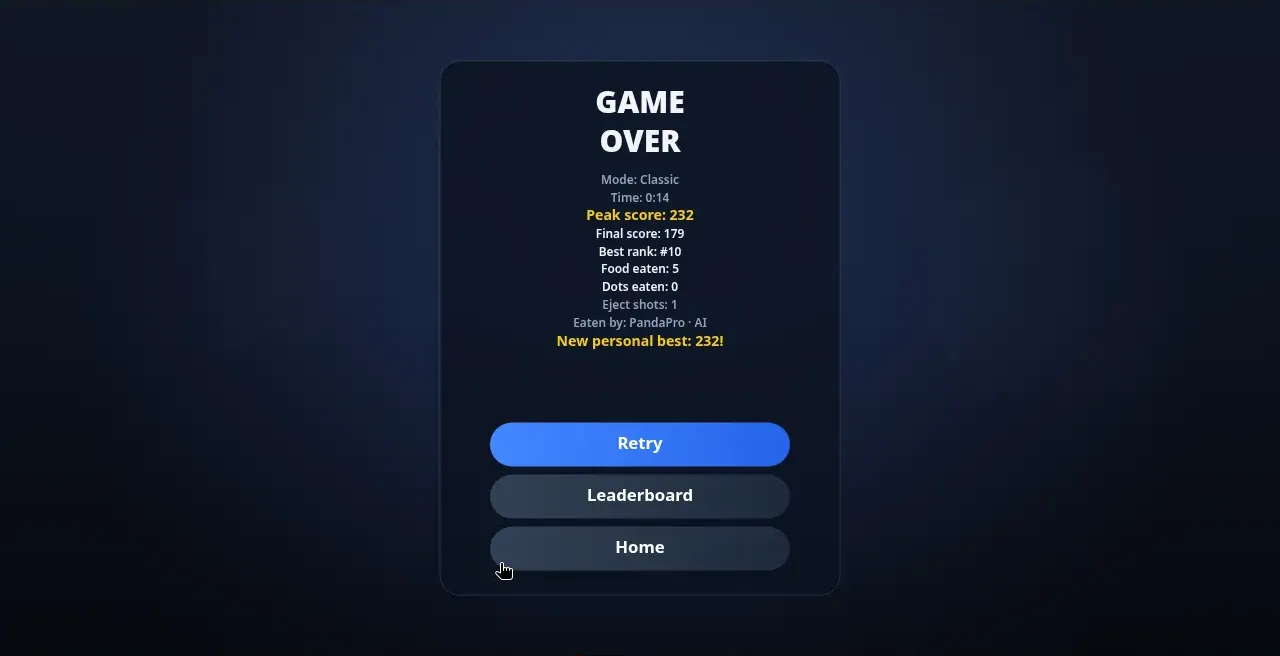
The Game Over card is genuinely useful. It shows your time, peak and final score, best rank, food eaten, dots eaten, splits or eject shots used, and which bot got you. Time Attack ends on the same card, so dying early still ends the run.
What went wrong, so you can skip it:
- The camera zooms in after spawn. For the first moments you see a wide map; a few seconds later your view shrinks, and big dots arrive with little warning. The help screen confirms the camera zooms with your size, so the map feels widest when you are smallest.
- W cost us mass we could not spare. Our score dropped from 226 to 180 just after a single W press, and PandaPro ate us moments later.
- Space made us two easy snacks. The halves flew apart, drifted back together within about six seconds, and we were gone at 0:14 with only 122 points left.
Tips for your first minute
These come from the in-game help plus what our short rounds showed:
- Don't split or eject at the start. At around 200 points every bit of mass matters. Save Space for catching a dot clearly smaller than half your size, or for a last-ditch escape.
- Watch the leaderboard, not just the screen. If a bot shows thousands of points, it is somewhere on the map. Keep moving away from anything bigger than you, and don't sit still in the open.
- Graze, don't hunt. Food is slow but safe. Grow a little before you chase bots, because bots your own size are aggressive.
- Give splitters room. Brown ones hunt small dots; green ones scatter you if you eat them.
- Remember merging. Split pieces rejoin when they touch in Classic and Time Attack. In Hardcore they never do, so think twice before pressing Space there.
- Watch a Bot Battle first. We didn't get to it this session, but a few minutes of spectating is the cheapest way to learn how the bots move.
Make the dot yours
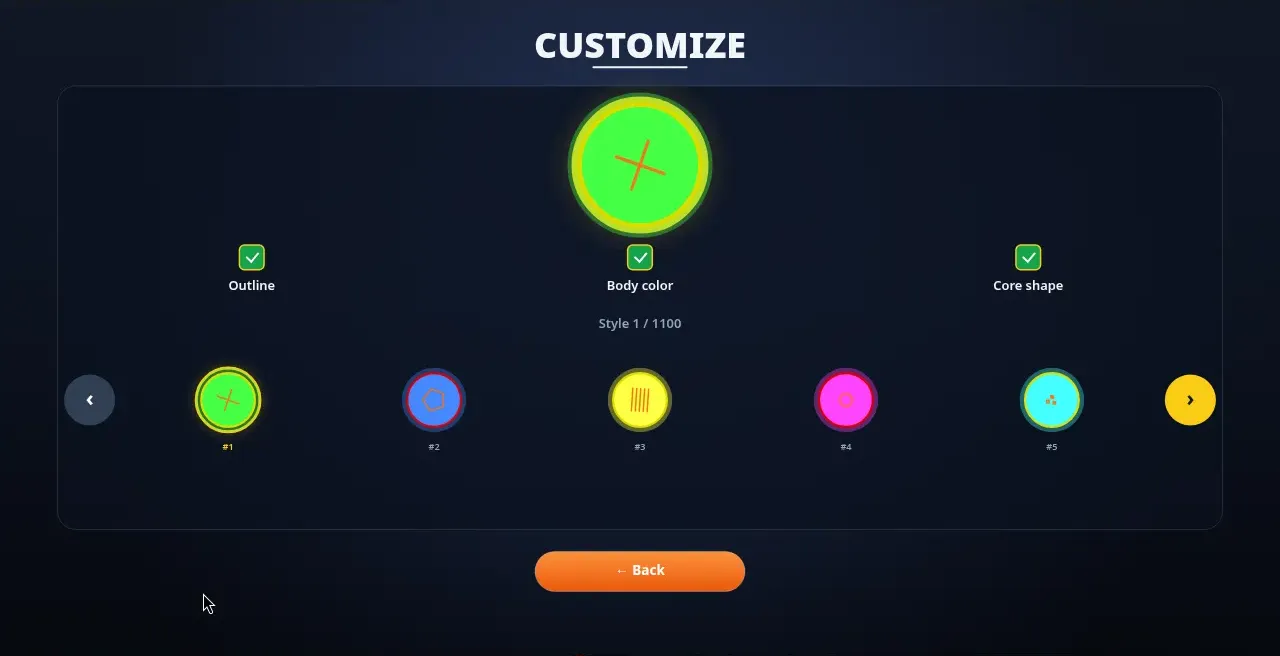
Customize offers 1,100 numbered styles. Three tick boxes let you turn the outline, body colour and core shape on or off independently. Your nickname shows above your dot and on the online leaderboard, which has Classic, Time Attack and Hardcore tabs. The game says your best score syncs when you're online and that offline play works; the online leaderboard was still loading during our session, so we can't describe it yet.
Where to play
The Mac App Store page is the newest addition. Bigger Dot is also playable free in the browser and on Android and iPhone/iPad, and every link below comes straight from the official store list.